Offline controllers · Comms faults · Alarms · Stuck valves · London
Building Management System (BMS) Fault Finding and Repair in London
Controllers offline, rooms too hot or too cold, alarms that never stop, or plant running all night with no alarm at all. We trace the fault through the front end, the network, the field devices and the strategy, fix it, and send you a report with photos.
- Free site visit in London
- Report with photos and readings
- Trend, Niagara, Delta, Titan and older systems
Who fixes BMS faults in London?
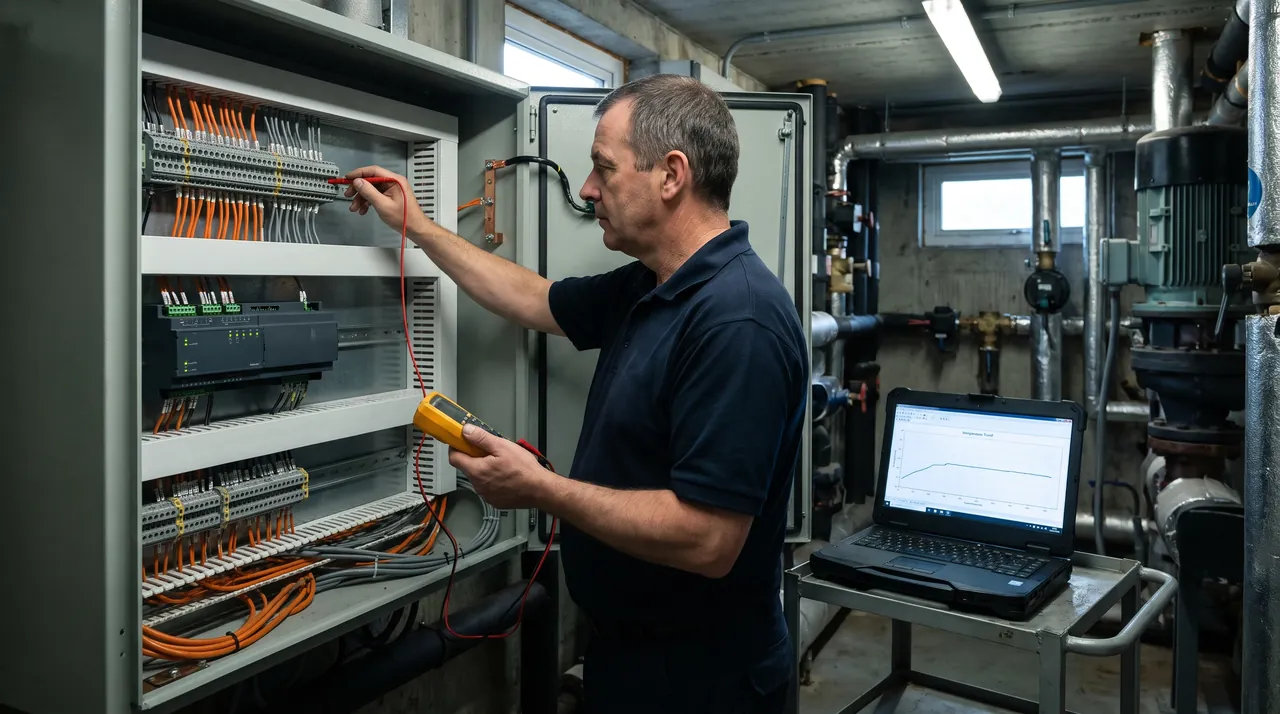
Mainteniq finds and fixes faults on building management systems across London and a 120-mile radius, and in Manchester, Birmingham, Leeds and Bristol. We work on Trend, Tridium Niagara, Delta Controls, Titan Products, Distech, Johnson Controls, Siemens, Honeywell, Satchwell, Cylon and mixed systems, including buildings where the original installer has gone and nobody has the files.
Building pathology guidance has long pointed out that many BMS problems come down to sensors and actuators that have failed or drifted, not the computer itself. So we never stop at the front end. We check what the BMS says, then test what is really happening at the valve, the sensor and the network, because a BMS can show everything as normal while a damper sits stuck open. For planned servicing after the fault is fixed, see BMS maintenance.
Symptoms we are called about
Common BMS Faults, and What Is Usually Behind Them
The symptom shows up on the front end or in a cold office. The cause is usually somewhere else: on the network, at a field device or in the settings.

Controllers or outstations offline
Usually: A network fault: a damaged cable, a missing terminator, two devices on the same address, a device on the wrong speed, or a controller that has lost power.
Rooms too hot or too cold
Usually: A sensor reading wrongly, a valve or actuator stuck, setpoints changed by someone, or a strategy that was never commissioned properly.
Alarms all day, so everyone ignores them
Usually: Alarm limits set badly, nuisance alarms never cleared, and no priorities, so the important alarm gets lost among hundreds.
Plant broken but no alarm at all
Usually: The BMS only knows what its sensors tell it. A removed actuator or a failed sensor can leave the screen showing normal while the plant is not working.
Plant running nights and weekends
Usually: Time schedules wrong, bank holidays missing, or points left in manual override after a contractor visit.
Heating and cooling fighting each other
Usually: Heating and cooling setpoints too close together, or a valve stuck open, so the building heats and cools the same space at once.
A controller lost its program after a power cut
Usually: Older controllers keep their memory on a backup battery. When it fails, the controller can lose its clock or its strategy, which then has to be reloaded from a backup.
Front end crashed, or nobody can log in
Usually: An old supervisor PC, an expired software licence, lost passwords or a failed hard drive. We get you back in and take a proper backup.
Controls or mechanical?
Too Hot, Too Cold: One Firm Checks the BMS and the Plant
“The controls contractor blames the valves, the mechanical contractor blames the BMS, and the office is still too hot.” That is the most common story we hear when we are called to a fault.
A comfort fault sits between two trades, so each contractor checks their half and passes it on. Mainteniq services the mechanical plant as well as the controls. The engineer who reads the strategy can also strip the actuator, check the pump and clean the fan coil, so the fault is followed all the way through and fixed on one visit where the parts allow.
What the BMS asks for
Setpoints, schedules, overrides and the strategy, checked on the front end and in the trend logs.
What the plant does
Valves, actuators, pumps, fan coil units and air handling units tested on site. See air conditioning and heating maintenance.
One report, one answer
Both sides of the fault in one report with photos and readings, instead of two contractors and two invoices.
How We Find a BMS Fault
From the front end down to the wire. Working in this order finds the real cause instead of replacing parts until something works.
- 1
Symptom and alarm history
What people are noticing, when it started, and what the alarm log and recent changes show.
- 2
Front end check
Communication status, overrides, time schedules, setpoints and anything left in manual.
- 3
Trend logs
What temperatures, valves and plant actually did over the last days, not just right now.
- 4
Network and power
Cables, terminators, addresses, speeds and power supplies on every controller that has gone quiet.
- 5
Field devices
Sensors checked against a calibrated instrument; valves, actuators and dampers driven open and shut.
- 6
Strategy and settings
The control logic and setpoints checked against how the building is meant to run.
- 7
Repair and backup
Fault fixed, the system backed up, and changes recorded so the next engineer knows what was done.
- 8
Report and next steps
A digital report with photos, readings and what to fix next, in priority order.
Fault found on an older system that can no longer be supported? See BMS upgrades.
Network faults
BMS Communication Faults: Why Controllers Drop Off
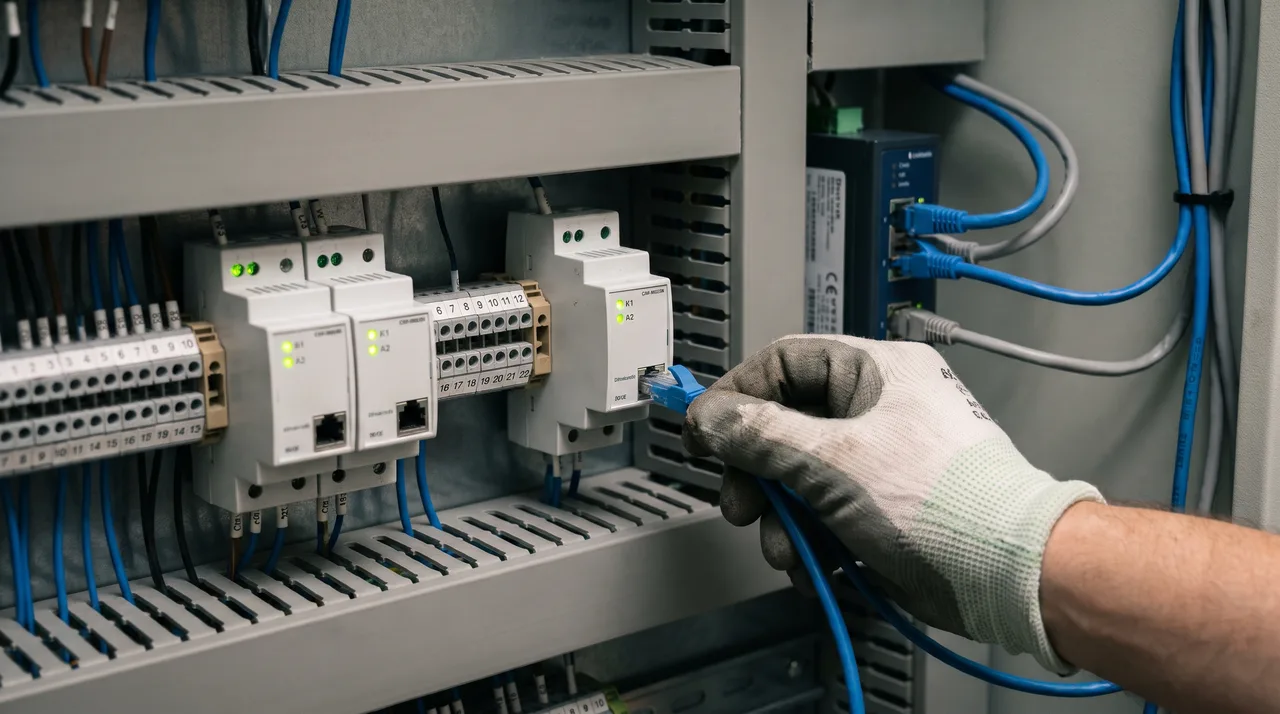
On many modern systems the controllers share a data network, often BACnet MS/TP, a Trend LAN or LonWorks. One fault on that cable can knock out a whole floor. These are the causes we find most.
Two devices, one address
Two controllers set to the same address cause erratic behaviour and dropouts, and software tools often can't show it. We check every address by hand.
Wrong network speed
One device set to a different speed can look offline itself, or upset the whole network around it.
Termination and wiring
Missing or extra terminators, the screen not earthed properly, or the cable run as a star instead of a daisy chain.
Network settings
Settings such as the highest address the network looks for, set too low after a controller was added, so new devices are never found.
Power and surges
A failed power supply or a surge that damaged a network card, often after electrical work elsewhere in the building.
Changes nobody recorded
A device swapped, moved or re-addressed by someone who left no notes. We map the network and write it down.
Remote diagnosis
Finding the Fault Before We Travel, When Your IT Allows It
Where the building's IT team and the system allow it, we connect remotely first to read the alarm history and trend logs. That often tells us which controller, valve or sensor is at fault, so the engineer arrives with the right parts. Not every building allows remote access, and we never assume it: where it is not agreed, we attend in person.
Remote access is a security question as well as an engineering one. We follow the IET Code of Practice for Cyber Security in the Built Environment and the NCSC and NPSA guidance on building control systems.
Agreed with your IT team
The route in is one your IT team approves, such as their own VPN. No hidden modems, no unknown connections.
Named accounts
Each engineer logs in with their own account. No shared passwords, and access you can switch off.
Supported software
Front-end PCs on unsupported systems, such as Windows 10 since 14 October 2025, flagged in the report with the options.
Why it matters
What a Fault Costs if It Is Left
BMS faults rarely stop the building on day one. They cost money and comfort quietly, until someone notices.
Energy
The Carbon Trust estimates heating costs rise by about 8% for every 1°C a building is overheated, and that energy use can rise by up to 30% when maintenance is not done.
Comfort and complaints
Too hot, too cold and stuffy rooms are the most common complaints in offices and blocks, and most of them trace back to controls.
Plant wear
Plant running nights and weekends, or heating and cooling fighting each other, wears out pumps, fans, boilers and chillers years early.
Compliance
A BMS that logs and alarms properly is part of how a building shows it is maintained. Since 27 January 2026, heat networks in Great Britain are regulated by Ofgem; see heat network maintenance.
Carbon Trust figures from its Heating, Ventilation and Air Conditioning guide (CTV046, 2017). They are general guidance, not a guarantee for any one building.
BMS Down Out of Hours? Our Emergency Line Is 24/7
Call day or night, including weekends. In London we aim to attend the same day for urgent faults such as no heating, no cooling or plant that will not run. In the Home Counties we can usually be on site within a day. Buildings on a maintenance contract get priority.
BMS Platforms We Work On
Modern, older and mixed systems, including buildings where nobody has the passwords or the original files any more.
How BMS Fault Finding Works With Us
- 1
Free site visit
We look at the BMS, the panels and the plant it runs. Free in London; in the Home Counties, free for larger jobs, otherwise we quote the visit first.
- 2
Digital report with photos
What we found, what it means and what to do first, sent by email.
- 3
Clear recommendation
Explained in plain English and priced as a fixed quote before any work starts.
- 4
Work done and recorded
Every visit ends with a new report, readings and a fresh backup of the system.
A photographed PDF report after every BMS fault visit
No handwritten job sheets and no chasing. Our engineers complete each job electronically on site in Maintivo, our job management system, so the report is built as the work happens: photos, readings, work done and recommendations.
You receive it as a digital PDF by email the same day, with certificates attached where they apply, ready to forward to a landlord, a freeholder, the directors or an insurer.
- Before and after photosEvery unit and fault photographed on site
- Readings and checksTemperatures, pressures and test results recorded
- Work done and next stepsWhat was fixed, what needs quoting, when we return
- Sent the same dayDigital PDF report by email, ready to forward

Example layout. Completed on site in Maintivo.
Qualifications Behind Our BMS Fault Finding Work
Where We Carry Out BMS Fault Finding
All 32 London boroughs, with a free site visit, and a 120-mile radius of the Home Counties, where the visit is free for larger jobs and quoted first for smaller ones. We also take on BMS work in these cities:
Outside London? Send us your BMS detailsWhat customers say on Google
“I've had the pleasure of working with Petru and his team on a number of maintenance jobs, and they've always been fantastic. They're professional, reliable, and complete every job to a really high standard. Petru is incredibly knowledgeable and it's clear he takes pride in his work.”
Deborah L.
Google review
“Excellent service. Price assessment: reasonable price.”
Attila B.
Google review
“The team is knowledgeable, efficient, and attentive to detail. A great choice for anyone looking for reliable maintenance services. Highly recommended!”
Ben
Google review
Book a Free BMS Fault Visit
In London an engineer comes to look at your BMS fault for free; in the Home Counties it is free for larger jobs, and for smaller ones we quote the visit first. You get a digital report with photos and a fixed quote for the repair, with no obligation to go ahead.
Page last reviewed by the Mainteniq team.